
Timetable Management System
Build conflict-free schedules across departments, optimize classroom and faculty allocation, and push timetable changes to all stakeholders without manual re-distribution.
Timetable Management Benefits
Build a Full Semester Schedule in Hours, Not Weeks
Your registrar should spend their expertise on academic planning decisions, not on cross-referencing spreadsheet tabs and hunting for room conflicts at midnight.
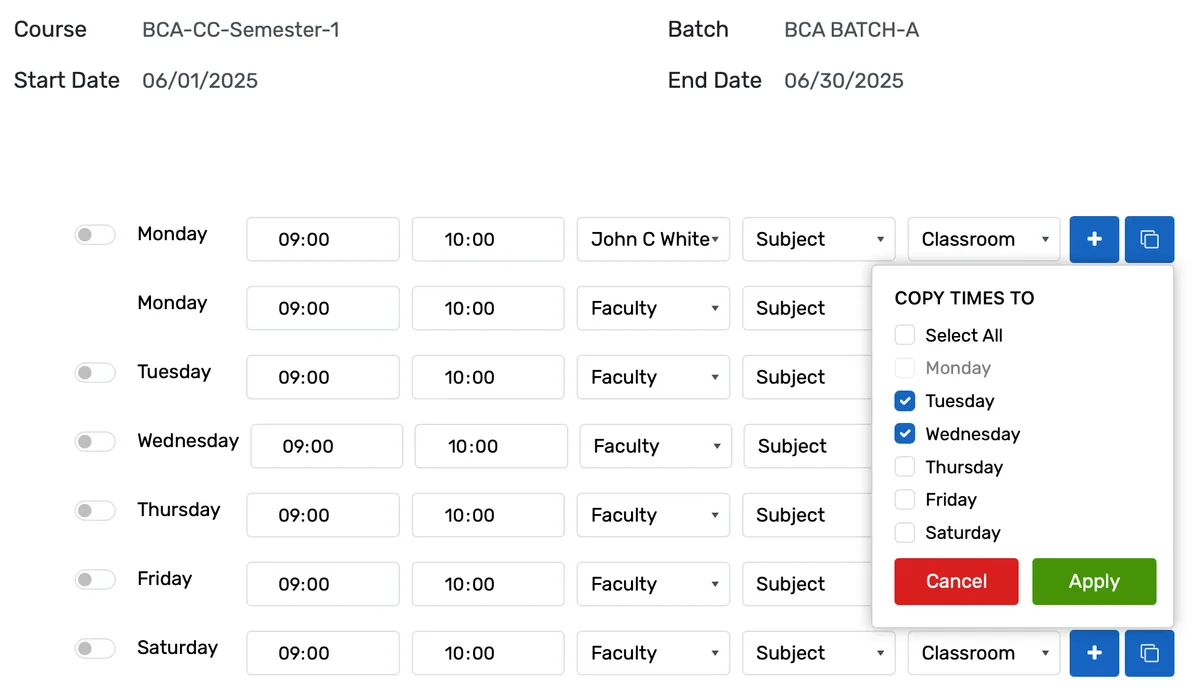
- Generate an entire batch's weekly sessions (subjects, faculty, rooms, time slots) through a single wizard with day-by-day configuration for Monday through Sunday
- Constraint validation runs automatically across every session: faculty double-booking, room capacity overflows, batch overlaps, and subject-combination conflicts are caught before you save
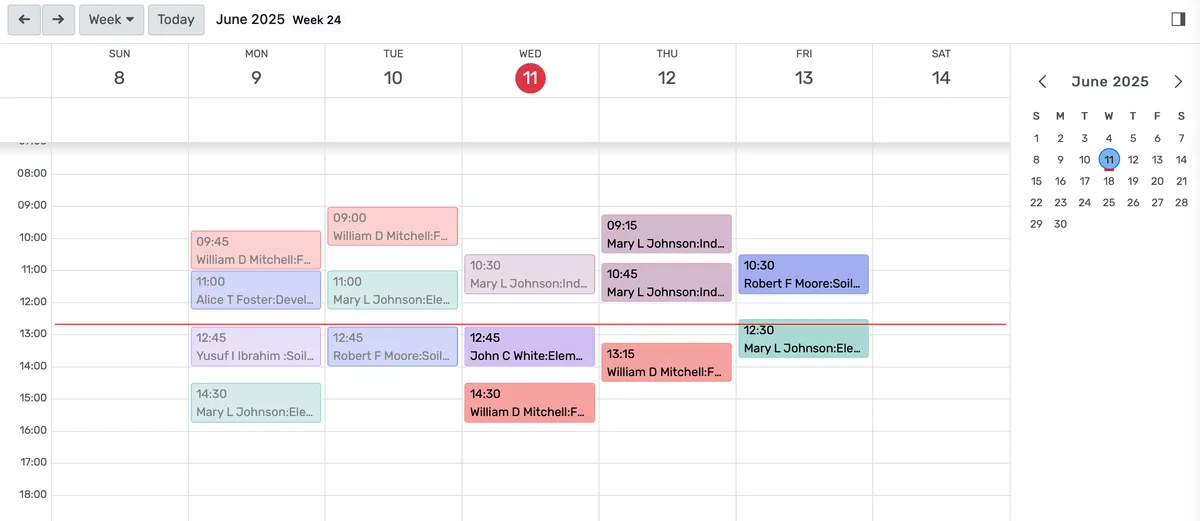
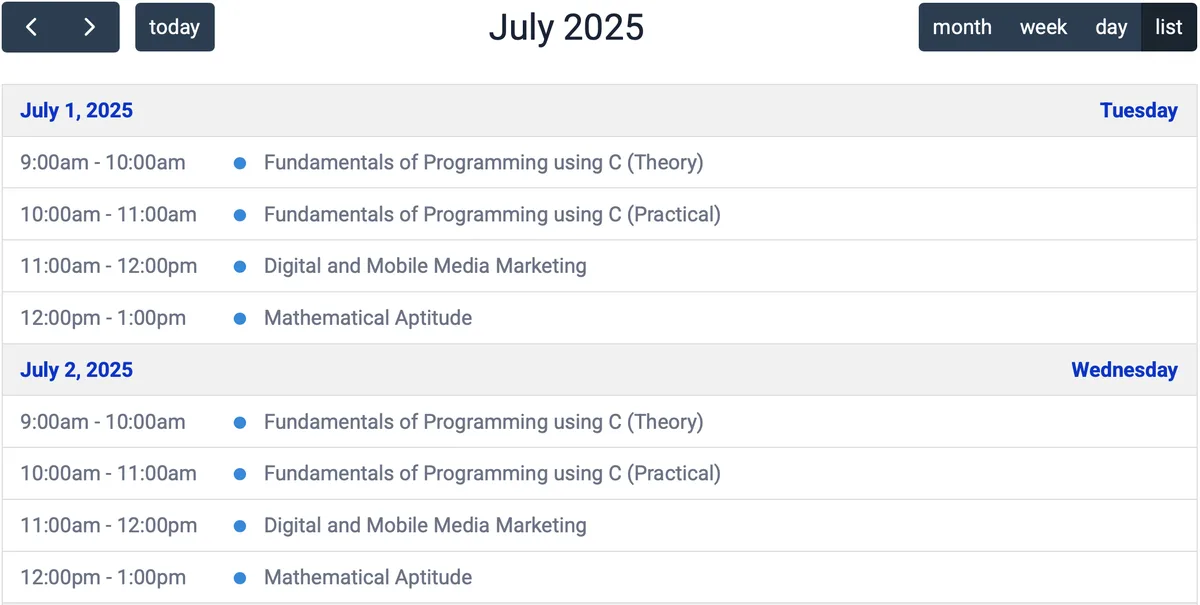
- Calendar, Kanban, list, and pivot views let you see the same schedule data from the angle that matters, weekly grid for the registrar, daily list for the department chair, calendar sync for faculty
Keep Every Classroom, Lab, Faculty Member, and Piece of Equipment in the Right Place
Double-bookings are not just inconvenient. They send 40 students to a room that already has 35 people in it, and they make your institution look like nobody is in charge.
- Room assignments check seat capacity against actual enrollment numbers from the Student Information System, not a static number someone typed two years ago
- Faculty scheduling pulls from real availability data and current workload. The system will not assign a professor who already has four back-to-back sections or who marked Fridays as unavailable
- Configurable constraint toggles let you enforce faculty conflict checking, classroom conflict checking, batch-level conflict checking, and batch-subject combination rules independently
Handle Mid-Semester Changes Without the Monday Morning Scramble
Schedules change. Faculty get sick. Rooms flood. Enrollment surges past capacity. The question is whether your system helps you respond in five minutes or five hours.
- Substitution management shows which faculty are qualified for the subject and available during the time slot, turning a frantic group text into a two-click decision
- Room reassignment checks all existing sessions in the new room before confirming, so moving Intro to Psychology out of Room 108 does not accidentally double-book Room 215
- Session-level notifications alert affected students and faculty immediately when a class location, time, or instructor changes. No need to post paper signs on doors
Timetable Management Features
Everything you need to manage timetable management effectively
Core Management
Essential timetable management management capabilities
Student Portal
Self-service portal for students to access information
Basic Reporting
Standard reports and data export functionality
Role-Based Access
Configure user permissions and access levels
Advanced Analytics
Detailed timetable management analytics with custom report builder and data visualization
Workflow Automation
Configure automated rules for approvals, notifications, and status transitions
Audit Trail
Complete audit logging of all timetable management activities for compliance and accountability
Priority Support
Dedicated support team with SLA-backed response times
Frequently Asked Questions
Get answers to common questions about Timetable Management
Yes. OpenEduCat supports multiple period structures within the same institution. Your K-12 division can run 45-minute period schedules while your continuing education programs use 90-minute evening blocks and your professional certificate program runs Saturday-only sessions. Each program defines its own period durations, start times, break schedules, and day patterns. All of these coexist in the same system, and the conflict engine checks across all of them when you create or modify a session.
Built for Your Institution Type
See how this feature works for your specific institution
Integrations, Comparisons & Tools
Extend Timetable Management with integrations, see how we compare, and calculate your ROI
Related Features

Admission Management
Student registration software that handles online applications, automated reviews, merit lists, and enrollment conversion. Your admissions office processes more registrations with fewer staff hours and fewer errors.

Student Management
Student information system software that keeps every record (academics, health, contacts, documents) in one place. SIS for K-12 schools and universities that gives staff accurate student data instantly and makes reporting effortless.

Course Management
Give academic coordinators tools to create, organize, and publish courses across departments. Track enrollment, content delivery, and learner progress from one administrative dashboard.

Financial Management
Set up fee structures once — auto-generate invoices at enrollment, accept payments via cash, bank, or online gateway, apply discounts, and reconcile. Close books faster with fewer errors.

Examination System
Schedule hundreds of exams across multiple rooms without conflicts. Generate hall tickets, assign invigilators, and publish verified results in days — not weeks.

Faculty Management
Manage faculty profiles, balance workloads, coordinate substitutions, track credentials, and run performance reviews — freeing department heads from administrative overhead.
More Daily Operations Features
Explore other features in this category
Ready to Transform Your Timetable Management?
See how OpenEduCat frees up time so every student gets the attention they deserve.
Try it free for 15 days. No credit card required.