
Exam Management System
Schedule hundreds of exams across multiple rooms without conflicts. Generate hall tickets, assign invigilators, and publish verified results in days — not weeks.
Examination System Benefits
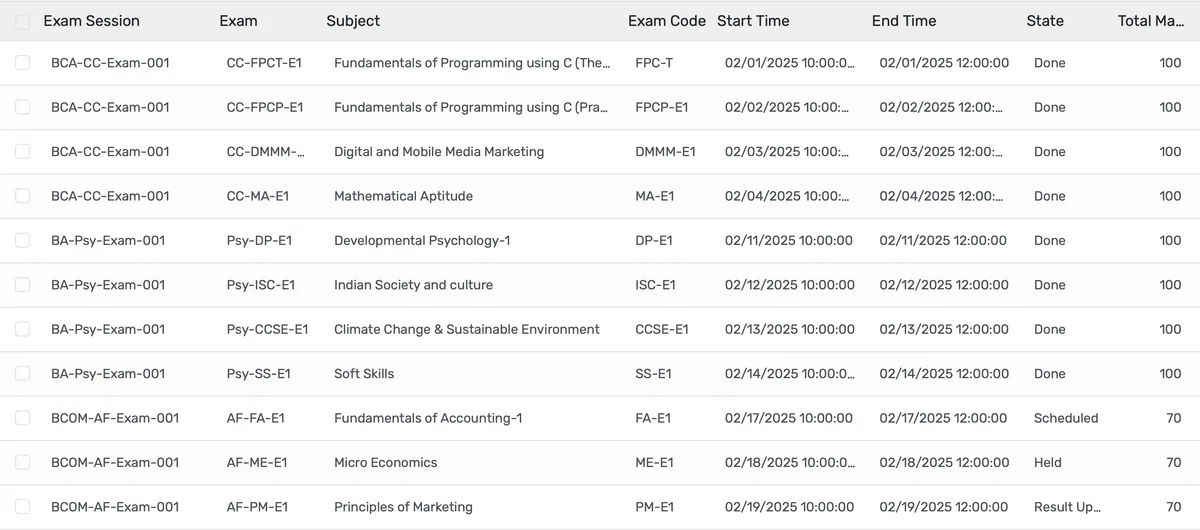
Schedule Hundreds of Exams Without a Single Conflict
Conflict detection runs every time you assign a date, time, room, or supervisor. You see problems before students do.
- Automatic clash detection for students registered in overlapping exams on the same date and time slot
- Room availability checking prevents double-booking halls, labs, or auditoriums across exam sessions
- Supervisor conflict alerts flag faculty assigned to multiple halls at the same time
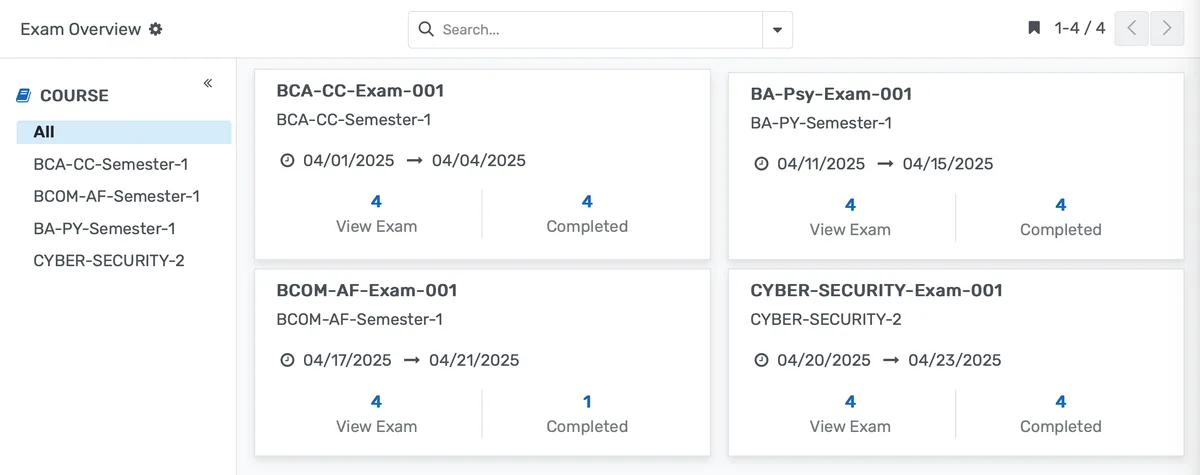
Generate Hall Tickets and Seating Plans for Thousands of Students Automatically
Enrollment data feeds directly into document generation. No mail merge, no copy-paste, no version 14 of a template.
- Hall tickets pull student name, roll number, photo, exam dates, times, rooms, and seat numbers from live enrollment data
- Customizable templates match your institution's branding and include required regulatory information
- Seating arrangements follow your allocation rules: roll-number order, randomized, or department-separated
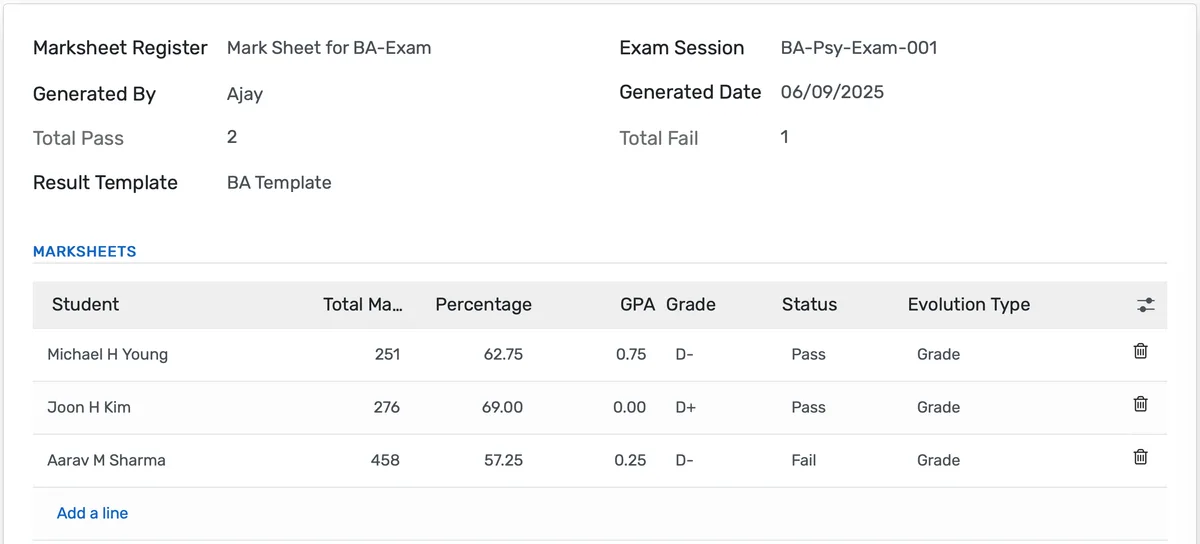
Publish Verified Results in Days, Not Weeks
Validation rules catch mark entry errors. Approval workflows ensure results are reviewed before students see them. No more three-week publication delays.
- Mark entry validation rejects values outside the configured range so a 72 cannot accidentally become a 27
- Bulk result import from Excel or CSV handles large batches with pre-import error checking and duplicate detection
- Moderation workflow routes results through department heads and exam committees before publication
Examination System Features
Everything you need to manage examination system effectively
Exam Sessions
Define examination periods with name, dates, course, and batch association
Exam Scheduling
Schedule individual exams with subject, date, time, and room assignments
Exam Types
Configure exam types (Unit Test, Midterm, Final, Practical, etc.)
Evaluation Types
Support for normal and grade-based evaluation methods
Room & Seating Management
Automatic seating arrangement with roll number-based allocation
Supervisor Assignment
Assign and manage exam supervisors with conflict checking
Multi-Component Grading
Separate theory, practical, internal, and external mark components
Weighted Calculations
Configure mark weightage for different assessment components
Frequently Asked Questions
Get answers to common questions about Examination System
Yes. You configure grading templates per program. A B.Tech program can use CGPA on a 10-point scale with credit-based weighting, while an MBA program uses a 4.0 GPA scale, and a diploma program uses simple percentage grading. Each template defines its own grade ranges, pass criteria, and calculation rules. Results calculate according to the template assigned to that program, so multiple systems coexist without conflict.
Built for Your Institution Type
See how this feature works for your specific institution
Integrations, Comparisons & Tools
Extend Examination System with integrations, see how we compare, and calculate your ROI
Related Features

Admission Management
Student registration software that handles online applications, automated reviews, merit lists, and enrollment conversion. Your admissions office processes more registrations with fewer staff hours and fewer errors.

Student Management
Student information system software that keeps every record (academics, health, contacts, documents) in one place. SIS for K-12 schools and universities that gives staff accurate student data instantly and makes reporting effortless.

Course Management
Give academic coordinators tools to create, organize, and publish courses across departments. Track enrollment, content delivery, and learner progress from one administrative dashboard.

Financial Management
Set up fee structures once — auto-generate invoices at enrollment, accept payments via cash, bank, or online gateway, apply discounts, and reconcile. Close books faster with fewer errors.

Faculty Management
Manage faculty profiles, balance workloads, coordinate substitutions, track credentials, and run performance reviews — freeing department heads from administrative overhead.

Gradebook and Grading System
Digital gradebook for registrars and academic directors — record grades, calculate GPAs, configure grading scales, and generate transcripts with a full audit trail per student.
Ready to Transform Your Examination System?
See how OpenEduCat frees up time so every student gets the attention they deserve.
Try it free for 15 days. No credit card required.